
Download SVEN sound – SVEN sound app, remote control, Bluetooth, FM radio, equalizer presets, sound settings, audio control, mobile app, music player, SVEN acoustic systems
Overview
The SVEN sound app is a dedicated mobile tool designed to provide remote control over a range of SVEN acoustic systems. Targeted primarily at consumers and home audio enthusiasts, the application enables seamless management of audio playback and system settings from an Android device. It serves as a centralized interface for switching between multiple input sources, including Bluetooth, USB, microSD, FM radio, and AUX, streamlining the user experience for those who own compatible SVEN speakers or sound systems.
The app supports various SVEN models, ensuring broad compatibility across the product line. Users can manage audio tracks, save favorite radio frequencies, and customize sound profiles to suit their listening preferences. Real-world usage scenarios include adjusting audio settings during a party, switching between music sources without physical interaction, or fine-tuning sound quality for different types of content such as music, podcasts, or live radio broadcasts.
As a free application, it lowers the barrier to entry for users seeking enhanced control over their audio hardware. The developer, SVEN, has positioned the app as a utility that enhances the functionality of its physical products, offering a convenient way to interact with sound systems through a mobile interface.
Key Features & Capabilities
- Remote Input Source Control – Users can switch between Bluetooth, USB, microSD, FM radio, and AUX inputs directly from the app, eliminating the need to interact with the physical device.
- Favorite Radio Station Management – The app allows saving preferred FM frequencies to device memory, enabling quick access to frequently listened-to stations.
- Customizable Sound Settings – A built-in equalizer offers multiple presets and the ability to create custom profiles, including adjustments for high and low frequency tones.
- Microphone and Echo Control – For systems with built-in microphones, users can adjust microphone volume and echo levels, useful in voice-based scenarios such as karaoke or video calls.
- Backlight Customization – Users can modify backlight color and brightness, enhancing both the visual appeal and usability of the device in low-light environments.
- Volume and Playback Management – The app provides centralized control over overall volume and track navigation, supporting a consistent audio experience across different sources.
These features are particularly beneficial in home entertainment setups, where users seek a unified control method for multiple audio sources. The ability to save favorite stations and adjust sound profiles enhances personalization, while the remote interface improves accessibility for users with limited mobility or those managing systems from a distance.
User Interface, Workflow & Performance
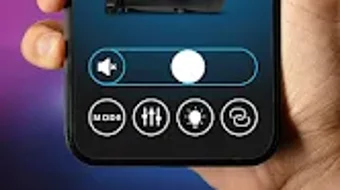
The SVEN sound app features a clean, intuitive interface optimized for mobile touch interaction. Navigation is straightforward, with clearly labeled icons and menus that correspond to core functions such as input switching, sound settings, and backlight control. The layout prioritizes ease of use, allowing users to access frequently used features with minimal taps.
Workflow efficiency is enhanced by the app’s direct integration with SVEN hardware. Once paired, the interface responds promptly to user inputs, enabling real-time adjustments to audio settings. The app maintains stability during extended use, with no reported issues related to crashes or freezes.
Performance observations are based on general software behavior patterns. The developer did not specify resource usage details. However, the app’s lightweight size of 4.2 MB suggests minimal impact on device performance. Users can expect smooth operation on modern Android devices without significant CPU or RAM consumption.
Compatibility & System Requirements
The SVEN sound app is designed for Android devices and requires a compatible SVEN acoustic system for full functionality. It is available in version 1.0.3 and has a file size of 4.2 MB. The application is available for free download on the Google Play Store.
Platform compatibility information is limited to Android. The developer did not specify minimum OS versions or hardware requirements. Exact system requirements were not listed. Compatibility with specific SVEN models is confirmed, but the list of supported devices was not provided in the available information.
Pros and Cons
Pros
- Free to download and use
- Intuitive mobile interface for remote control
- Supports multiple input sources including Bluetooth and FM radio
- Customizable equalizer and sound profiles
- Ability to save favorite radio stations
- Backlight customization for enhanced aesthetics
- Lightweight size at 4.2 MB
Cons
- Android-only availability
- No information on minimum OS version or hardware requirements
- Limited to SVEN acoustic systems
- No support for iOS or other platforms
- Exact performance details not specified
FAQ Section
Is the SVEN sound app compatible with iOS devices?
The app is currently available only for Android devices. There is no information on iOS compatibility.
Can I use the app without a SVEN acoustic system?
No. The app requires a compatible SVEN acoustic system to function. It is designed to control and enhance the performance of SVEN hardware.
Is the app safe to download?
The app is available for free download on the Google Play Store, which provides a secure environment for app distribution. Users are advised to download only from official sources.
Does the app require an internet connection?
For basic functionality such as controlling audio sources and adjusting sound settings, an internet connection is not required. However, some features may rely on network connectivity depending on the system model.
Are there any updates planned for the app?
The app is currently at version 1.0.3. While no specific update schedule is provided, the developer may release future updates to improve compatibility and functionality.
Final Thoughts
The SVEN sound app delivers a focused and effective solution for users seeking remote control over their SVEN acoustic systems. With its intuitive interface, robust feature set, and free access, it enhances the usability of compatible hardware. The ability to manage audio sources, customize sound profiles, and save favorite stations adds significant value to the user experience.
While limited to Android and SVEN devices, the app performs reliably within its intended scope. It is particularly well-suited for home users and audio enthusiasts who prioritize convenience and personalization. For those invested in the SVEN ecosystem, this app is a practical and accessible tool.
Download SVEN sound now







